 By admin
The Real Estate of the Internet: Choosing Your Hosting
Understanding web hosting does not require a computer science degree. Think of the internet as a massive city, and your website or application needs a place to live. Depending on your budget, traffic, and security needs, you can rent a small room, buy an entire building, or construct a high-tech modular home.
Here is a breakdown of the different types of server architectures—from traditional hosting to modern container systems—so you can make the smartest decision for your digital infrastructure.
1. Shared Hosting: The Crowded Apartment Room
Best for: Small personal blogs, portfolios, and brand-new low-traffic sites.
In shared hosting, your website lives on a single physical server alongside hundreds (or even thousands) of other websites. You all share the exact same resources: memory, processing power, and the operating system.
- The Catch: If another website on your server gets a massive spike in traffic, gets hacked, or runs bad code, your website slows down or crashes. It is inexpensive, but you have zero control over your neighbors.
2. VPS (Virtual Private Server): The Private Apartment
Best for: Growing businesses, e-commerce stores, and mid-sized applications.
VPS: Dedicated Resources in a Shared Environment. Source: Azam Ishaq / Getty Images
A VPS still uses a single physical server shared with others, but the hosting company uses software (a hypervisor) to slice the server into completely isolated “virtual” servers.
- The Advantage: You are guaranteed a specific amount of RAM and CPU power. What your neighbors do no longer affects you. You get the keys to your own isolated environment and can install whatever operating system or software you want.
3. Semi-Dedicated Servers: The Penthouse Suite
Best for: Resource-heavy websites that are not quite ready for a full dedicated server.
Semi-dedicated hosting is a super-powered VPS. You are still on a shared physical server, but instead of sharing it with 50 users, you might only share it with 3 or 4. This gives you massive amounts of processing power and storage without the prohibitive price tag of owning the entire machine.
4. Dedicated Hosting: Owning the Entire Building
Best for: Enterprise corporations, massive platforms, and highly secure databases.
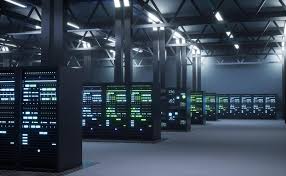
Dedicated Servers: Raw, Unshared Physical Power. Source: Mykhailo007 / Getty Images
When you rent a dedicated server, you are renting the actual, physical hardware sitting in a data center. No virtual neighbors. No shared resources.
- The Advantage: Ultimate speed, absolute control, and maximum security. You can configure the bare-metal hardware exactly how you want.
- The Catch: It is expensive, and you need an experienced systems administrator (or DevOps engineer) to secure and manage it.
The Modern Revolution: Container Hosting (Docker & Podman)
Traditional hosting (like VPS and Dedicated) is built around running entire operating systems. But what if you could package your application so perfectly that it didn’t care where it lived? Enter Container Hosting.
Best for: Modern web apps, scalable microservices, and rapid software deployment.
Container Hosting: Modular, Isolated Application Pods. Source: Lutsina Tatiana / Getty Images
Think of a container like a high-tech, self-sustaining modular pod. Instead of installing your application directly onto a server’s operating system, you put your app—along with every single file, library, and configuration it needs to run—inside a “container.”
Docker vs. Podman: What’s the Difference?
You will hear two main names in the container ecosystem:
- Docker: The pioneer of modern container technology. It uses a central “daemon” (a background management program) to run all your containers. It is the industry standard with massive community support.
- Podman: A highly secure, drop-in alternative to Docker. Unlike Docker, Podman is “daemonless.” This means if one container crashes, it doesn’t risk taking down a central management system. It is heavily favored in enterprise environments where strict security is required.
Why Containers Beat Traditional Hosting:
- Isolation (No Bad Neighbors): A container runs completely independently. If one container on the server crashes or requires an update, the rest of your containers keep running flawlessly.
- Ultimate Portability: A Docker or Podman container will run exactly the same on a developer’s local laptop, a cheap VPS, or a massive Amazon cloud server. You never have to worry about a server lacking the right software version.
- Instant Scaling: If your app goes viral, you do not need to spend hours migrating to a bigger server. You simply trigger a command to instantly clone your container to handle the extra traffic.
Upgrade Your Architecture Today
Your digital infrastructure should never be a bottleneck. Whether you need a secure Linux VPS configured for high traffic or a complex, auto-scaling Docker container architecture, Darax Limited has the DevOps expertise to build it right the first time.
Stop settling for slow, shared infrastructure. Let us build a resilient environment for your software.
👉 Hire Darax Limited: Request a Cloud Architecture Consultation Today